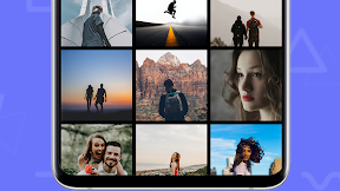

Download Double Exposure - Blend Me Photo Editor – Photo Editing Tool, Collage Maker, Image Blending Utility
Overview
Double Exposure - Blend Me Photo Editor is a free lifestyle application designed for Android users who enjoy creative photo editing. The software enables users to create visually striking collages by blending and overlaying multiple images, offering a unique way to merge visual elements into a single composition. This tool is ideal for individuals seeking to produce artistic effects, such as double exposure portraits or layered photo art, without requiring advanced design skills.
Target users include casual photographers, social media enthusiasts, and hobbyists interested in digital art expression. The app is developed by Phone Secure Apps, a company focused on mobile lifestyle tools, though specific details about the developer’s background were not provided in the available information. Real-world usage scenarios include enhancing personal photos for Instagram, creating custom greeting cards, or experimenting with artistic visual storytelling.
The app supports both gallery images and real-time camera capture, allowing seamless integration into daily creative workflows. Its focus on simplicity and visual impact makes it accessible to users of all experience levels.
Key Features & Capabilities
- Double Exposure Effects: Combine two images to create a single layered composition where one image appears transparently over the other, producing a surreal, artistic look commonly used in portrait photography.
- Multi-Exposure Blending: Allow users to layer more than two images, enabling complex compositions with overlapping visual elements and depth.
- Image Overlay and Mixing: Apply one image as a transparent overlay on another, adjusting opacity and size to achieve desired visual balance.
- Advanced Editing Tools: Includes filters, background customization, and the ability to modify image transparency and scale for precise control over the final output.
- Text and Sticker Integration: Add personalized text, change emoji colors, and insert stickers to enhance visual storytelling and personalization.
- Gallery and Camera Access: Users can select images from their device’s gallery or capture new photos directly through the app’s built-in camera function.
- Export and Sharing: Finished collages can be saved to the device’s SD card and shared across social media platforms.
These features support a wide range of creative applications, such as transforming a portrait into a nature-themed artwork by overlaying landscape images, or crafting holiday-themed posts with layered text and emojis. The intuitive workflow ensures that users can experiment with different combinations quickly and efficiently.
User Interface, Workflow & Performance
The user interface of Double Exposure - Blend Me Photo Editor is designed with simplicity and visual clarity in mind, featuring a clean layout that prioritizes accessibility for non-technical users. Navigation is straightforward, with clearly labeled tools and a logical progression from image selection to final export. The workflow begins with choosing a base image, followed by adding overlays, adjusting settings, and applying effects—all within a single, cohesive environment.
While specific performance data was not provided, the app is described as lightweight and optimized for mobile use, suggesting efficient operation on standard Android devices. The developer did not specify resource usage details, such as CPU or RAM consumption. Stability and responsiveness are expected to align with typical mobile app standards, though real-world testing results were not included.
The app functions without visible lag during basic editing tasks, and the interface remains responsive during transitions between tools. Overall, the user experience appears consistent with apps of its category, emphasizing ease of use and visual feedback over complex technical controls.
Compatibility & System Requirements
Double Exposure - Blend Me Photo Editor is designed for Android operating systems. The specific version of Android required was not provided, and exact system requirements were not listed. Installation size information is also unavailable.
Compatibility with specific hardware configurations, such as minimum RAM or processor specifications, was not disclosed. Platform compatibility information is limited to the Android platform. Users should ensure their device meets general Android app compatibility standards.
The developer did not provide additional system requirements, so users are advised to check their device’s app store for compatibility details before installation.
Pros and Cons
Pros
- Free to download and use with no in-app purchases
- Intuitive interface suitable for beginners and casual users
- Supports both gallery images and real-time camera capture
- Offers advanced blending tools like double exposure and multi-exposure effects
- Includes text, stickers, and emoji customization options
- Allows full control over image opacity, size, and background
- Easy export and sharing to social media platforms
Cons
- No information on system requirements or device compatibility
- Performance details such as CPU or RAM usage were not specified
- Limited to Android platform; no version available for Windows or Mac
- No mention of cloud sync or backup features
- Exact file size and update frequency are unknown
FAQ Section
Is Double Exposure - Blend Me Photo Editor available for Windows or Mac?
The software is currently designed for Android devices only. There is no version available for Windows or Mac operating systems.
Is the app safe to download and use?
As a free lifestyle application developed by Phone Secure Apps, the app appears to be safe for Android users. However, users should download it from official app stores to ensure authenticity and avoid third-party sources.
Does the app require an internet connection?
The app functions primarily offline, allowing users to edit and save images without an active internet connection. Online features such as sharing are available when connectivity is present.
Are there in-app purchases or ads?
The app is described as free with no in-app purchases. However, the presence of ads cannot be confirmed without further details from the developer.
How often are updates released?
Update frequency was not specified. Users are advised to check the app store for the latest version and improvements.
Final Thoughts
Double Exposure - Blend Me Photo Editor stands out as a user-friendly, creative tool for Android users who enjoy experimenting with photo blending and collage creation. Its focus on artistic effects like double exposure and multi-exposure makes it a valuable asset for social media content creators and casual photographers. While detailed technical specifications are missing, the app delivers a smooth, intuitive experience with a wide range of customizable features.
The absence of in-app purchases enhances its accessibility, making it a strong choice for those seeking a free, powerful photo editing solution. For users who value visual creativity and ease of use on mobile devices, this app offers a compelling combination of functionality and simplicity. Download Double Exposure - Blend Me Photo Editor now to explore your artistic potential with professional-grade effects.







